iPhone Models From China, Hong Kong, Singapore and Japan: Differences Before You Buy
iPhones sold in China, Hong Kong, Singapore, Japan and the US are not exactly the same: SIM tray, eSIM, camera shutter sound, Apple Intelligence and region codes. Here is what changes.
Many of our readers are in Singapore, China, Hong Kong and Japan, and many iPhones travel from one country to another before being resold. The same iPhone model can have several regional versions with real differences. Here is what to check.
Find the region of your iPhone
Open Settings > General > About and tap Model Number once: a code like MYM23CH/A appears. The letters before /A show the market:
| Code | Market |
|---|---|
| CH/A | Mainland China |
| ZP/A | Hong Kong and Macau |
| ZA/A | Singapore |
| J/A | Japan |
| LL/A | United States |
| B/A | United Kingdom |
More on reading model numbers: is my iPhone new, refurbished or a replacement?
Difference 1: SIM cards
- China, Hong Kong and Macau models (on recent iPhones, standard and Pro): two physical nano-SIM slots in the same tray. This is popular with people who use two physical SIMs.
- US models since iPhone 14: eSIM only, no SIM tray. Your carrier must support eSIM.
- Most other countries: one nano-SIM plus eSIM (on models that still have a tray).
Note: eSIM support on mainland China models is limited and depends on the model and the carrier. Check before buying if you need eSIM.
Difference 2: camera shutter sound
Japanese (and some Korean) models always play the shutter sound, even in silent mode, because of local rules. It cannot be turned off in Settings.
Difference 3: Apple Intelligence and services
Availability of Apple Intelligence, the new Siri and some services depends on the country of the device and of your Apple Account, and on local regulations. In mainland China, these features have their own availability rules. Check Apple's official page for your region before buying for these features: Siri AI requirements and limits.
Difference 4: carrier lock
Many US and Japanese iPhones are sold locked to a carrier. Check Settings > General > About > Carrier Lock: "No SIM restrictions" means unlocked. Otherwise read SIM Not Supported.
Difference 5: frequency bands
Models are designed for their market's 4G and 5G bands. Most work well abroad, but 5G coverage can vary. Check Apple's band list on apple.com/iphone/cellular.
Is the firmware different?
No: regional models of the same iPhone use the same IPSW file, as long as the model identifier is the same. Check your identifier with Identifier Lookup, then download:
- iPhone 18 Pro · iPhone 18 Pro Max
- iPhone 17 · iPhone 17 Pro · iPhone 17 Pro Max · iPhone Air · iPhone 17e
- iPhone 16 · iPhone 16 Plus · iPhone 16 Pro · iPhone 16 Pro Max · iPhone 16e
- iPhone 15 · iPhone 15 Plus · iPhone 15 Pro · iPhone 15 Pro Max
- iPhone 14 · iPhone 14 Plus · iPhone 14 Pro · iPhone 14 Pro Max
- iPhone 13 mini · iPhone 13 · iPhone 13 Pro · iPhone 13 Pro Max
- iPhone 12 mini · iPhone 12 · iPhone 12 Pro · iPhone 12 Pro Max
- iPhone 11 · iPhone 11 Pro · iPhone 11 Pro Max
- iPhone SE (2nd gen) · iPhone SE (3rd gen)
Another model? Browse all iPhone firmware or use the Identifier Lookup tool.
Checklist before buying abroad
- Region code and SIM configuration.
- Carrier lock and Activation Lock: used iPhone checklist.
- Warranty: Apple's standard warranty is valid in the country of purchase; some coverage is international. Check at checkcoverage.apple.com.
You Might Also Like
Oct 11, 2026
iPhone Ghost Touch, Green Line or Flickering Screen: Software or Hardware?
The screen touches itself, a green or pink line appears, or the display flickers? Here is how to tell a software bug from a hardware fault, and what to do in each case.
Read more →
Apr 24, 2026
What's New in iOS 27? Full Features Breakdown
iOS 27 is out since September 14, 2026. Here are the features that matter: the new Siri, Photos tools, Safari, speed gains, parental controls, and which iPhones get what.
Read more →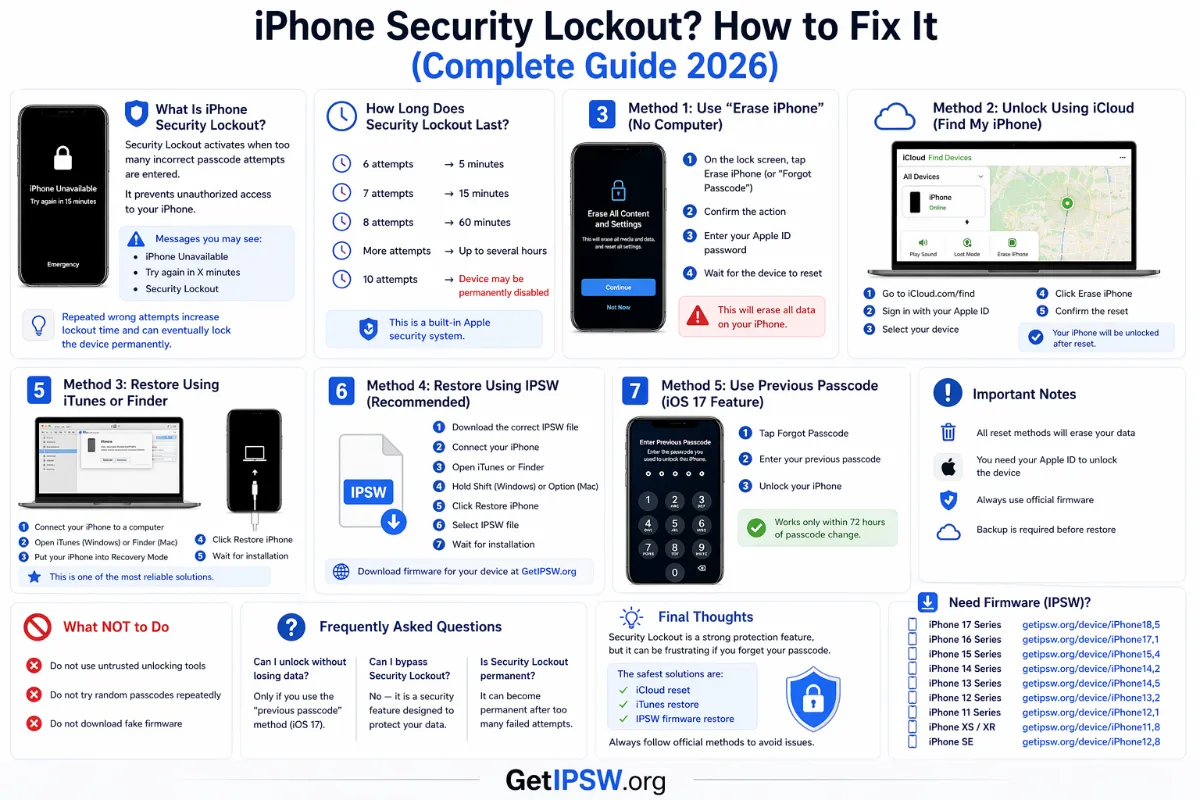
Apr 23, 2026
iPhone Security Lockout: What It Means and How to Fix It
'Security Lockout' appears after too many wrong passcodes. Here is how long it lasts, how to reset the iPhone with your Apple Account, and how to keep your data next time.
Read more →