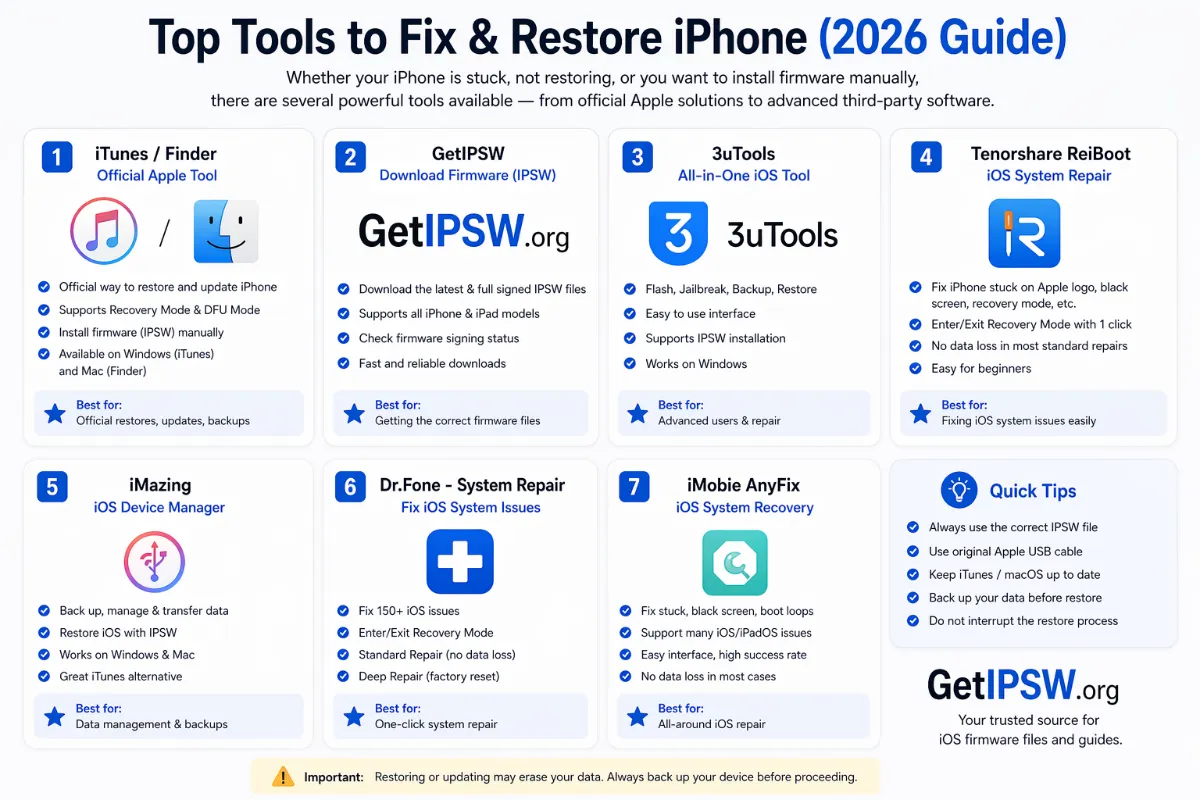
Best Tools to Restore iPhone Firmware in 2026 (Free and Official First)
You do not need paid software to restore an iPhone. Here are the official free tools that do the job, when advanced tools make sense, and which promises to ignore.
Search for "restore iPhone firmware" and you will find dozens of paid programs. The truth is that Apple's free tools do everything most people need. Paid programs mainly add a friendlier interface, and some make promises no software can keep.
1. Finder (Mac) – free, official
For: everyone with a Mac running macOS Catalina or later.
- Updates, restores and backs up iPhones.
- Installs a downloaded IPSW with Option-click on Check for Update or Restore iPhone.
- Works with recovery and DFU mode.
2. Apple Devices app (Windows) – free, official
For: Windows 10 and 11 users. It replaced iTunes for managing iPhones and is available in the Microsoft Store.
- Same functions as Finder: update, restore, backup, IPSW with Shift-click.
- Includes the drivers Windows needs to detect an iPhone in recovery mode.
3. iTunes – free, official (older systems)
Still useful on Windows 8 or macOS Mojave and earlier. On newer systems, use Finder or Apple Devices.
4. Apple Configurator – free, official (Mac, advanced)
For: technicians, schools and businesses. It can restore many devices at once, revive a Mac with Apple silicon, and manage configuration profiles. Available free on the Mac App Store.
5. Open-source tools (experts only)
Tools such as idevicerestore (part of the libimobiledevice project) can restore iPhones from Linux. They follow the same signing rules as Apple's tools: they cannot install unsigned firmware. Use them only if you are comfortable with the command line.
What about paid "system repair" programs?
Programs sold as "iOS system repair" usually do one of two things:
- A "standard repair" that is in fact an Update in recovery mode, which Finder and Apple Devices do for free.
- An "advanced repair" that is a full Restore, also free with Apple's tools.
Be very careful with programs that promise to:
- Install any iOS version, including unsigned ones: impossible on modern iPhones.
- Remove Activation Lock or an Apple Account: only the owner or Apple can do that legitimately.
- Repair without data loss "100%": no tool can guarantee that when iOS is badly damaged.
Our recommendation
- Download the IPSW for your model from getIPSW (links go to Apple's servers).
- Use Finder or the Apple Devices app.
- Follow our complete restore guide.
- iPhone 18 Pro · iPhone 18 Pro Max
- iPhone 17 · iPhone 17 Pro · iPhone 17 Pro Max · iPhone Air · iPhone 17e
- iPhone 16 · iPhone 16 Plus · iPhone 16 Pro · iPhone 16 Pro Max · iPhone 16e
- iPhone 15 · iPhone 15 Plus · iPhone 15 Pro · iPhone 15 Pro Max
- iPhone 14 · iPhone 14 Plus · iPhone 14 Pro · iPhone 14 Pro Max
- iPhone 13 mini · iPhone 13 · iPhone 13 Pro · iPhone 13 Pro Max
- iPhone 12 mini · iPhone 12 · iPhone 12 Pro · iPhone 12 Pro Max
- iPhone 11 · iPhone 11 Pro · iPhone 11 Pro Max
- iPhone SE (2nd gen) · iPhone SE (3rd gen)
Another model? Browse all iPhone firmware or use the Identifier Lookup tool.
You Might Also Like

Apr 22, 2026
iOS 18 IPSW Download: Builds, Compatible iPhones and Signing Status
Every iOS 18 release explained: which iPhones run it, why most iOS 18 builds can no longer be installed, and which iPhones still get iOS 18 security updates.
Read more →
Oct 10, 2026
iOS Beta Battery Drain: Why It Happens and 10 Ways to Fix It
Battery dropping fast after installing an iOS beta or a big update? Part of it is normal indexing, part is bugs. Here is what to expect and how to get your battery life back.
Read more →
Oct 15, 2026
How to Check Your iPhone Battery Cycle Count and Health (Every Model)
iPhone 15 and later show the battery cycle count in Settings. On older iPhones, you can still find it with analytics data or a computer. Here is how, and what the numbers mean.
Read more →