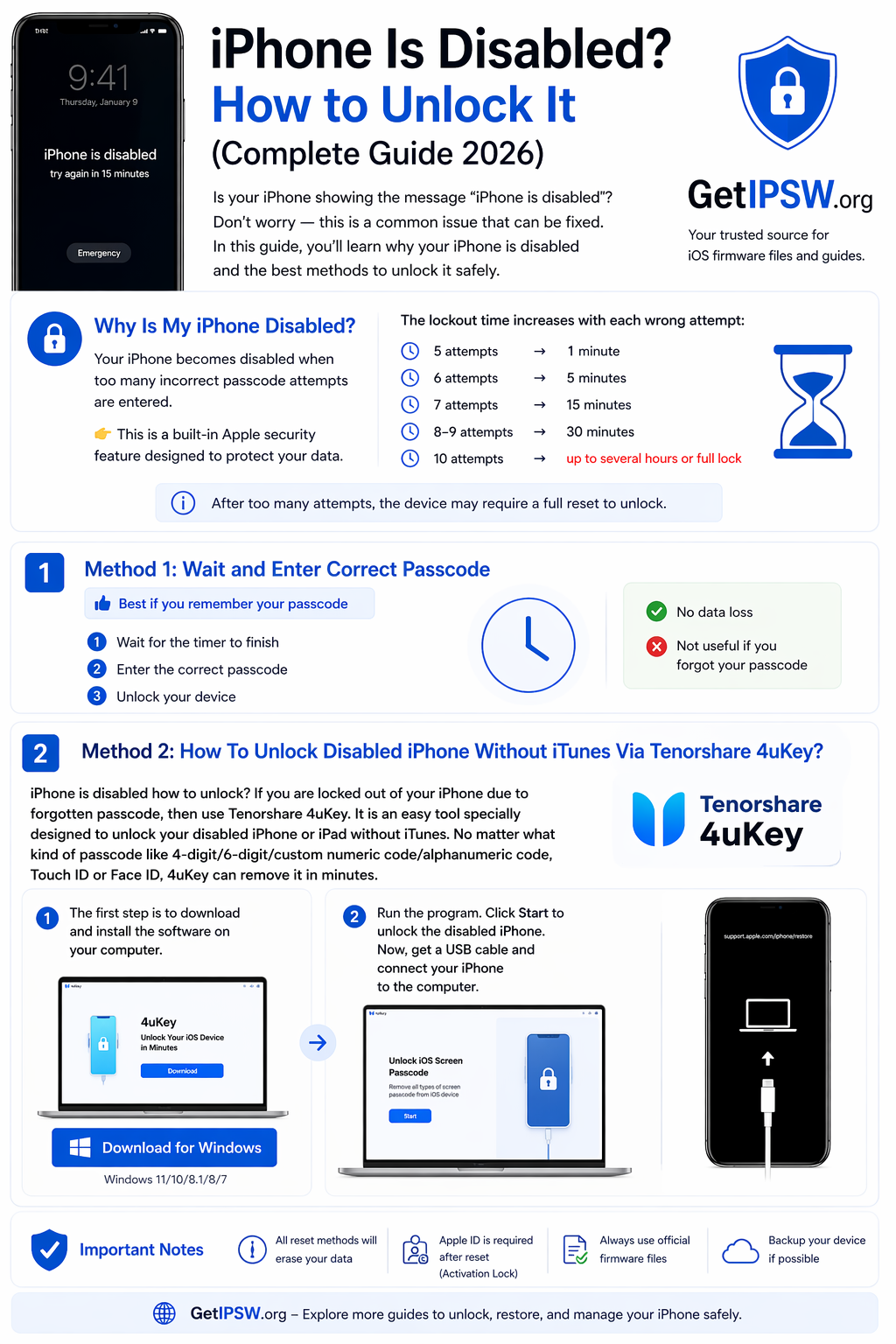
iPhone Is Disabled? How to Unlock It (Complete Guide 2026)
In this guide, you’ll learn why your iPhone is disabled and the best methods to unlock it safely.
iPhone Is Disabled? How to Unlock It (Complete Guide 2026)
Is your iPhone showing the message “iPhone is disabled”? Don’t worry — this is a common issue that can be fixed.
In this guide, you’ll learn why your iPhone is disabled and the best methods to unlock it safely.
🔐 Why Is My iPhone Disabled?
Your iPhone becomes disabled when too many incorrect passcode attempts are entered.
👉 This is a built-in Apple security feature designed to protect your data.
The lockout time increases with each wrong attempt:
5 attempts → 1 minute
6 attempts → 5 minutes
7 attempts → 15 minutes
8–9 attempts → 30 minutes
10 attempts → up to several hours or full lock
📌 After too many attempts, the device may require a full reset to unlock
⏱️ Method 1: Wait and Enter Correct Passcode
👉 Best if you remember your passcode
Wait for the timer to finish
Enter the correct passcode
Unlock your device
✔️ No data loss
❌ Not useful if you forgot your passcode
📱 Method 2: How To Unlock Disabled iPhone Without iTunes Via Tenorshare 4uKey?
iPhone is disabled how to unlock? If you are locked out of your iPhone due to forgotten passcode, then use Tenorshare 4uKey. It is an easy tool specially designed to unlock your disabled iPhone or iPad without iTunes. No matter what kind of passcode like 4-digit/6-digit/custom numeric code/alphanumeric code, Touch ID or Face ID, 4uKey can remove it in minutes.
1-The first step is to download and install the software on your computer.

2- Run the program. Click Start to unlock the disabled iPhone. Now, get a USB cable and connect your iPhone to the computer.
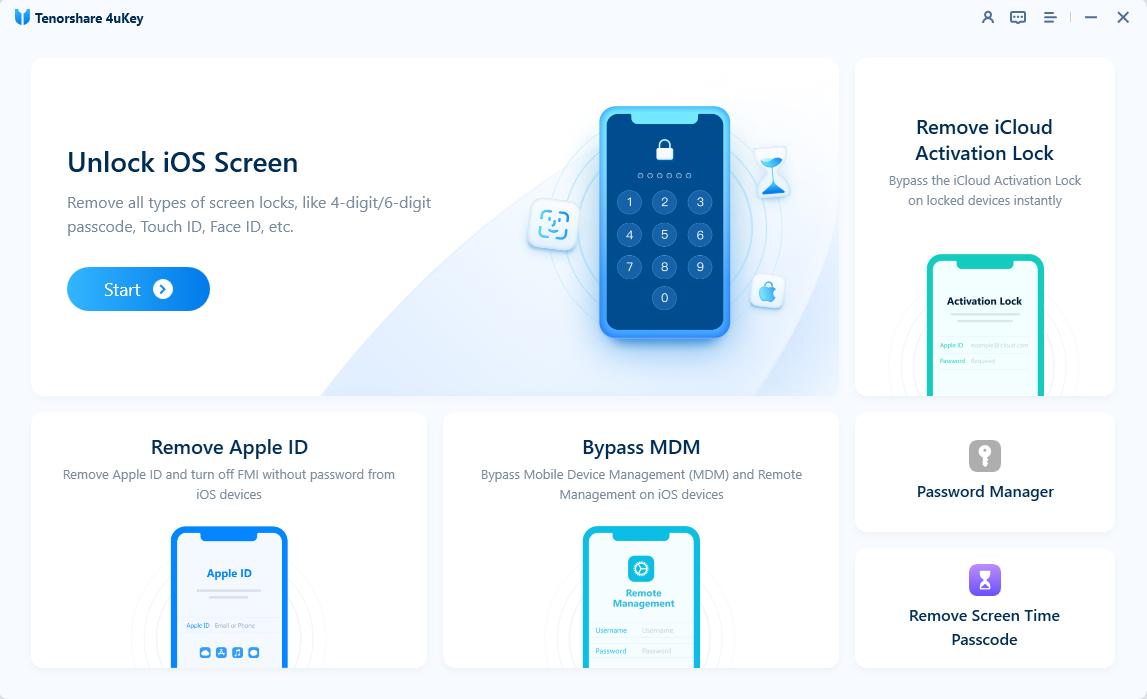
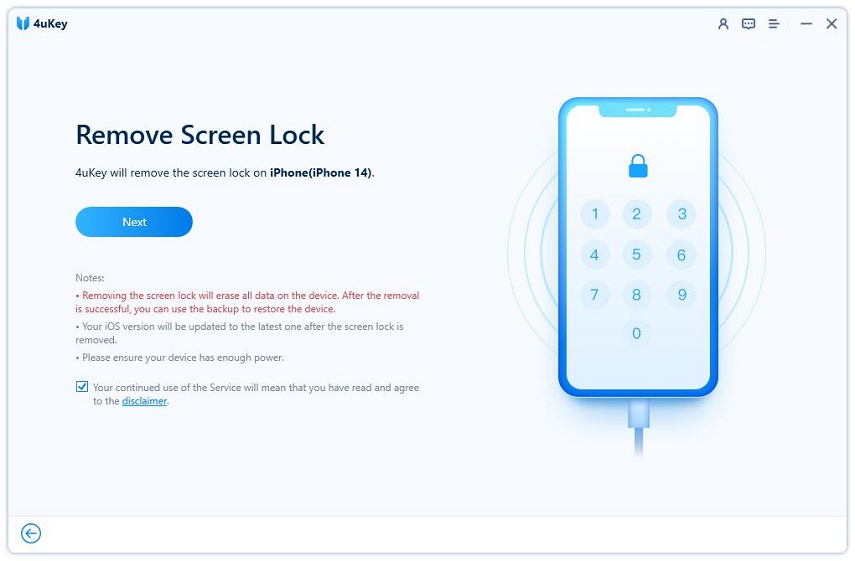
3- 4uKey will detect the device automatically, click on Next to proceed.
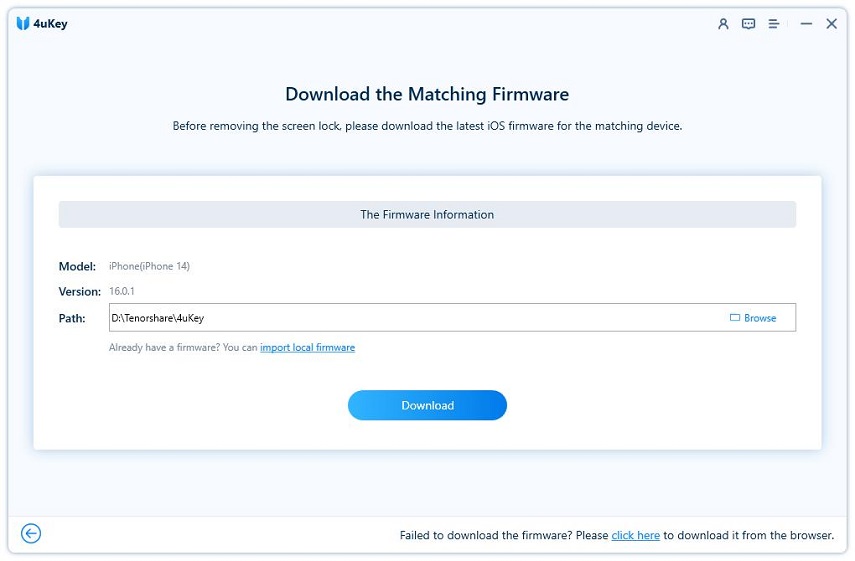
4-Then you will be prompted to download the latest firmware package. Select a location for the package and click on Download.
5-After the firmware has been downloaded on your computer, click on Start to Remove to start the unlocking process.
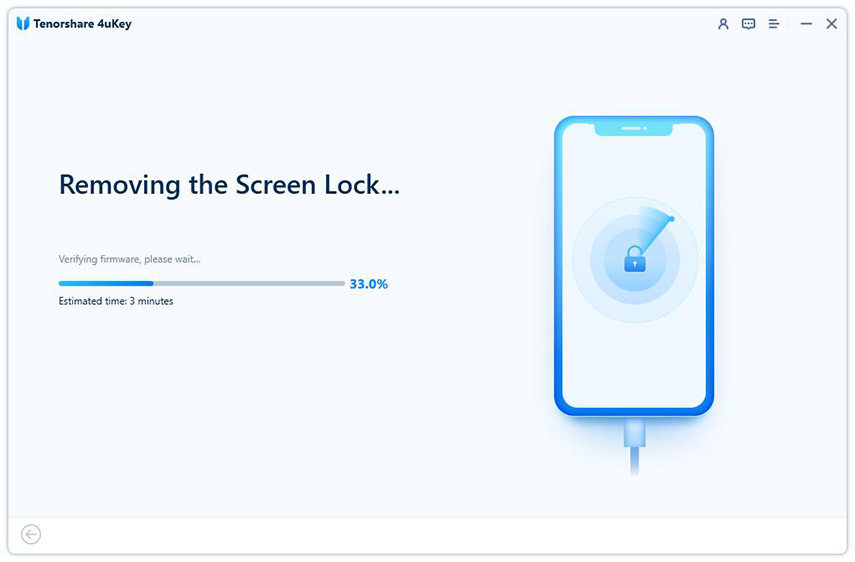
6-After the firmware has been downloaded on your computer, click on Start to Remove to start the unlocking process.
🌐 Method 3: Unlock Using iCloud
👉 Remote reset method
Go to iCloud website
Sign in with Apple ID
Select your device
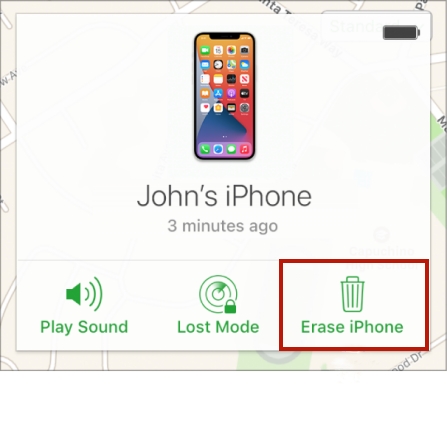
Click Erase iPhone
Confirm reset
✔️ Works from any device (even Android)
⚙️ Method 4: Restore Using iTunes or Finder
👉 Official Apple method
Connect your iPhone to your computer
Open iTunes (Windows) or Finder (Mac)
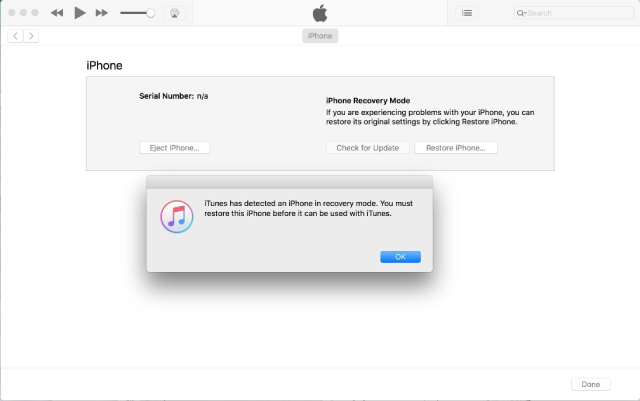
Put your iPhone into Recovery Mode
Click Restore iPhone
Wait for installation
👉 This removes the passcode and resets the device.
Way 5: How To Unlock A Disabled iPhone Without iTunes Or Computer Via Erase iPhone Feature?
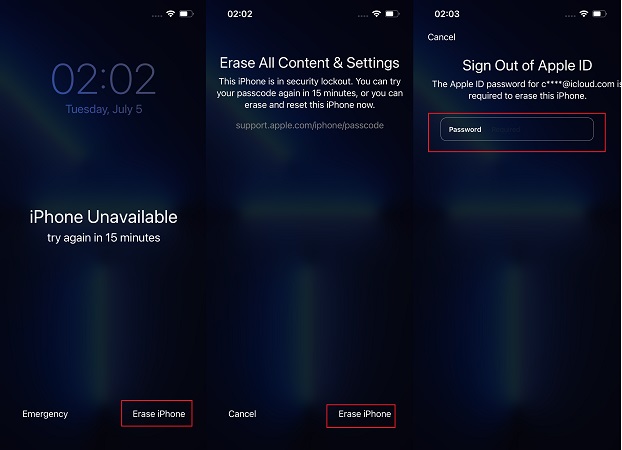
re is another official method to unlock a disabled iPhone without iTunes or computer. You can use the Erase iPhone option on the iPhone Unavailable/Security Lockout lock screen. This is supported by the Apple ID and password signed in.
Note: The iPhone Unavailable screen only appears on iOS 15.2 and later. For older iOS versions, you will see iPhone is disabled, which does not have the Erase iPhone option. Go back to the first iPhone unlocker to unlock disabled iPhone.
Check how to unlock a disabled iPhone without iTunes or computer with Erase iPhone Option:
- Tap on Erase iPhone on the iPhone Unavaialble or Security Lockout screen. You may need to enter wrong passcodes 7 or more times to see the option.
Tap on Erase iPhone again and then enter the Apple ID password to start the erasing prosess.
⚠️ Important Notes
All reset methods erase your data
Apple ID is required after reset (Activation Lock)
Always use official firmware
Backup your device if possible
🚫 What NOT to Do
❌ Do not keep entering wrong passcodes
❌ Do not use fake unlock tools
❌ Do not download unknown firmware
❓ Frequently Asked Questions
Can I unlock without losing data?
Only if you remember the correct passcode.
Can I bypass “iPhone is disabled”?
No — it is a security feature.
Is this permanent?
No, but it requires reset if passcode is forgotten.
🧠 Final Thoughts
The “iPhone is disabled” message is frustrating, but it’s designed to protect your device.
The best solutions are:
Wait and unlock
Use iCloud
Restore with iTunes
Install IPSW firmware
👉 Always use safe and official methods.
Explore more guides on GetIPSW to unlock, restore, and manage your iPhone easily.
You Might Also Like
Apr 24, 2026
iCloud Bypass iPhone 6: Complete Guide & Safe Methods (2026)
If your iPhone 6 is stuck on the Activation Lock screen, it can be frustrating—especially if you forgot your Apple ID or purchased a second-hand device.
Read more →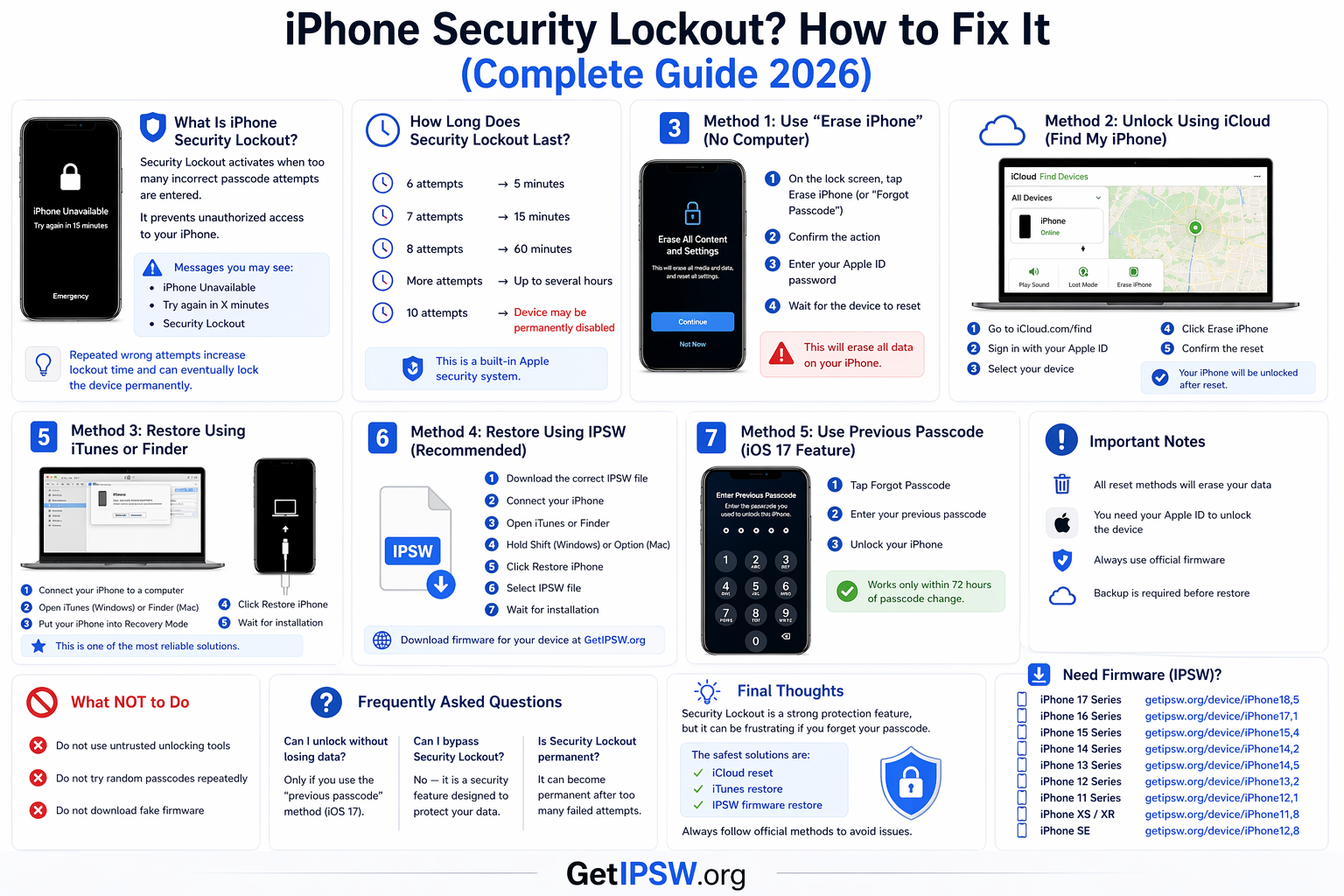
Apr 23, 2026
iPhone Security Lockout? How to Fix It (Complete Guide 2026)
In this guide, you’ll learn what Security Lockout means and how to fix it using safe and effective methods.
Read more →
Apr 24, 2026
How to Enter DFU Mode on Any iPhone (Complete Guide 2026)
DFU Mode (Device Firmware Update mode) is one of the most advanced recovery states on iPhone. It allows your device to communicate with a computer without loading the operating system or bootloader.
Read more →