iPhone Unavailable? 4 Official Ways to Fix It
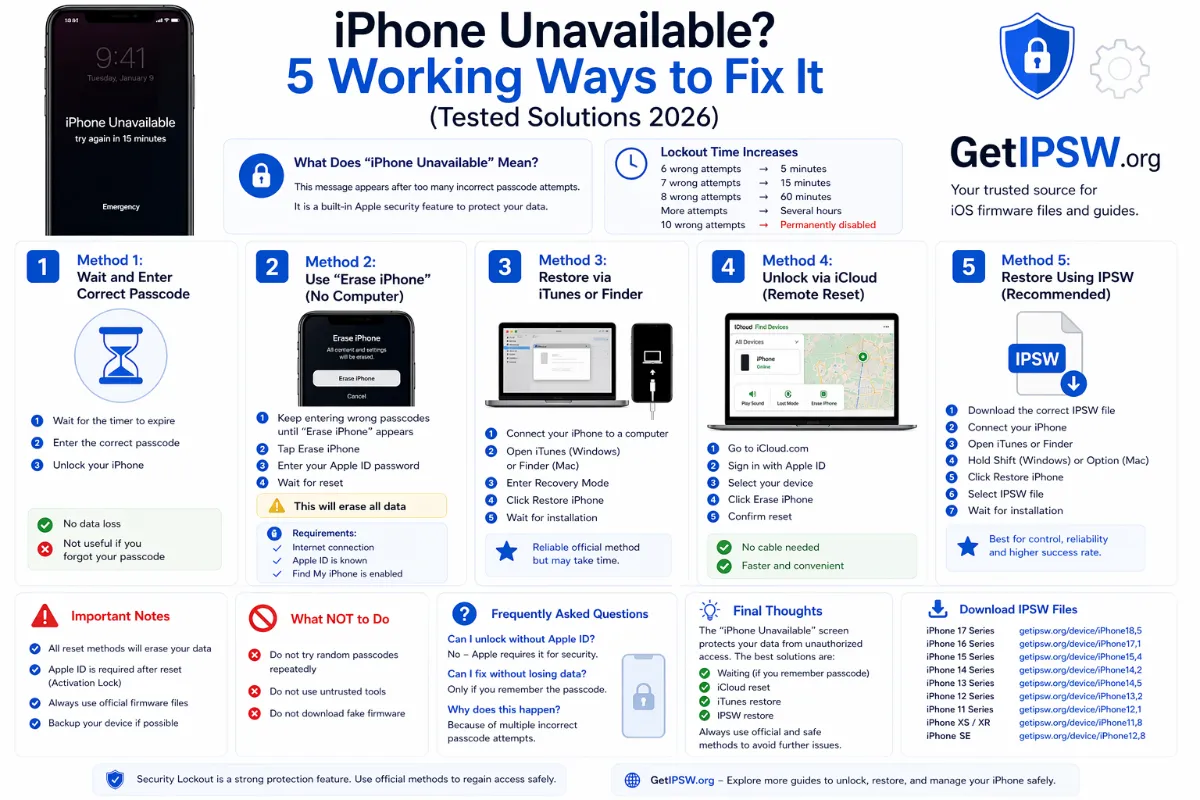
'iPhone Unavailable' means too many wrong passcodes. Here are the four official ways to get back into your iPhone, and which one keeps your data.
"iPhone Unavailable, try again in 15 minutes" appears when someone, maybe a child, entered the wrong passcode several times. Here are the official, free ways to fix it. Paid unlock programs use the same methods; you do not need them.
First: wait and try again
If you know the passcode, wait for the timer to end and enter it carefully. The timer gets longer with each wrong attempt (1 minute, then 5, 15 and 60 minutes). After 10 wrong attempts, only erasing is possible.
Method 1: Previous passcode (no data loss)
On iOS 17 and later, if you changed the passcode within the last 72 hours: tap Forgot Passcode? > Enter Previous Passcode.
Method 2: Forgot Passcode? on the iPhone
- Keep entering a passcode until the screen shows iPhone Unavailable or Security Lockout.
- Tap Forgot Passcode? at the bottom of the screen (on iOS 15.2 to 16, the option is called Erase iPhone).
- If you changed your passcode in the last 72 hours, iOS 17 and later offer Enter Previous Passcode: use your old code to unlock and set a new one, without erasing anything.
- Otherwise tap Start iPhone Reset, enter your Apple Account password and confirm. The iPhone erases itself and restarts.
- Set it up again and restore your latest backup.
This option requires the iPhone to be connected to Wi-Fi or cellular data and signed in with an Apple Account.
Method 3: Find My from another device
Sign in at icloud.com/find from any computer or phone, select the iPhone and choose Erase This Device. You can also use the Find My app on another Apple device signed in with the same account.
Method 4: Recovery mode with a computer
Use this method if the iPhone has no internet connection or does not show the Forgot Passcode option:
On a Mac with macOS Catalina or later, use Finder: your iPhone appears in the sidebar. On Windows 10 or 11, install the free Apple Devices app from the Microsoft Store. iTunes still works on older Windows versions and on macOS Mojave or earlier.
- Turn off the iPhone.
- Connect it to the computer while entering recovery mode:
- iPhone 8 and later (including iPhone SE 2nd/3rd generation): press and release Volume Up, press and release Volume Down, then press and hold the Side button. Keep holding when the Apple logo appears and release only when you see the computer-and-cable recovery screen.
- iPhone 7 and 7 Plus: press and hold the Side (or Top) button and Volume Down together until the recovery screen appears.
- iPhone 6s and earlier, iPhone SE (1st generation): press and hold the Home button and the Side (or Top) button together until the recovery screen appears.
- In Finder or the Apple Devices app, choose Restore (Update will not remove the passcode).
- Wait for the restore to finish, then set up the iPhone and restore your backup.
Download the firmware in advance if your connection is slow:
- iPhone 18 Pro · iPhone 18 Pro Max
- iPhone 17 · iPhone 17 Pro · iPhone 17 Pro Max · iPhone Air · iPhone 17e
- iPhone 16 · iPhone 16 Plus · iPhone 16 Pro · iPhone 16 Pro Max · iPhone 16e
- iPhone 15 · iPhone 15 Plus · iPhone 15 Pro · iPhone 15 Pro Max
- iPhone 14 · iPhone 14 Plus · iPhone 14 Pro · iPhone 14 Pro Max
- iPhone 13 mini · iPhone 13 · iPhone 13 Pro · iPhone 13 Pro Max
- iPhone 12 mini · iPhone 12 · iPhone 12 Pro · iPhone 12 Pro Max
- iPhone 11 · iPhone 11 Pro · iPhone 11 Pro Max
- iPhone SE (2nd gen) · iPhone SE (3rd gen)
Another model? Browse all iPhone firmware or use the Identifier Lookup tool.
Important: these methods are for the owner of the iPhone. After erasing, the iPhone will ask for the Apple Account that was signed in (Activation Lock). No legitimate method removes Activation Lock without that account or proof of purchase.
Can I unlock without losing data?
Only with Method 1 (previous passcode within 72 hours). For security reasons, every other method erases the iPhone. That is why a recent backup is so important: restore it during setup and you get everything back.
Related: iPhone Security Lockout · how to back up your iPhone.
You Might Also Like

Oct 3, 2026
iOS 27.0.1 IPSW Download: Build 24A446, Compatible iPhones and What It Fixes
iOS 27.0.1 (build 24A446) is the first bug-fix update for iOS 27. Here is what it fixes, which iPhones can install it, and how to install it with an IPSW file.
Read more →
Apr 23, 2026
iPhone Swipe Up Not Working? 12 Fixes That Actually Work
When swiping up does not open the Home Screen, Control Center or the app switcher, the cause can be a setting, a screen protector, a case or a frozen system. Here are 12 fixes.
Read more →
Oct 10, 2026
"This Device Isn't Eligible for the Requested Build": Causes and Fixes
This iTunes, Finder and Apple Devices error appears when you try to install firmware that Apple refuses for your iPhone. Here are the real causes and what you can and cannot do.
Read more →